Finfare
A business finance and expense management tool
Overview
Finfare is a business expense management platform that simplifies spending through an intuitive dashboard. I led the design of the core product, enhancing the UX/UI to ensure a seamless, responsive experience across web and mobile.
Joining as Product Manager and Lead Designer via 500 Designs, I navigated a tight timeline to deliver an MVP that was polished for investors yet stable for beta users. As PM, I led daily stakeholder syncs, using these sessions to strategically steer the UX; while the client was firm on visual direction, I successfully advocated for usability improvements without compromising the relationship.
Over 10 months of two-week sprints, we shipped a refined onboarding flow, a simplified dashboard, and a foundational design system—successfully supporting Finfare’s first fundraising milestone.
Problems & Challenges
In the early stages, our main challenge was finding unique features that would distinguish our product from other financial management solutions, e.g., Ramp, Brex, and Mercury.
Working with the UX team, we analyzed competitor design solutions and UI patterns. This revealed major market issues: cluttered visuals, confusing onboarding, repetitive expense workflows, and limited mobile access.
These insights shaped our priorities: clarity, speed, and mobility and became the foundation for the redesign of Finfare’s visual identity and dashboard experience.
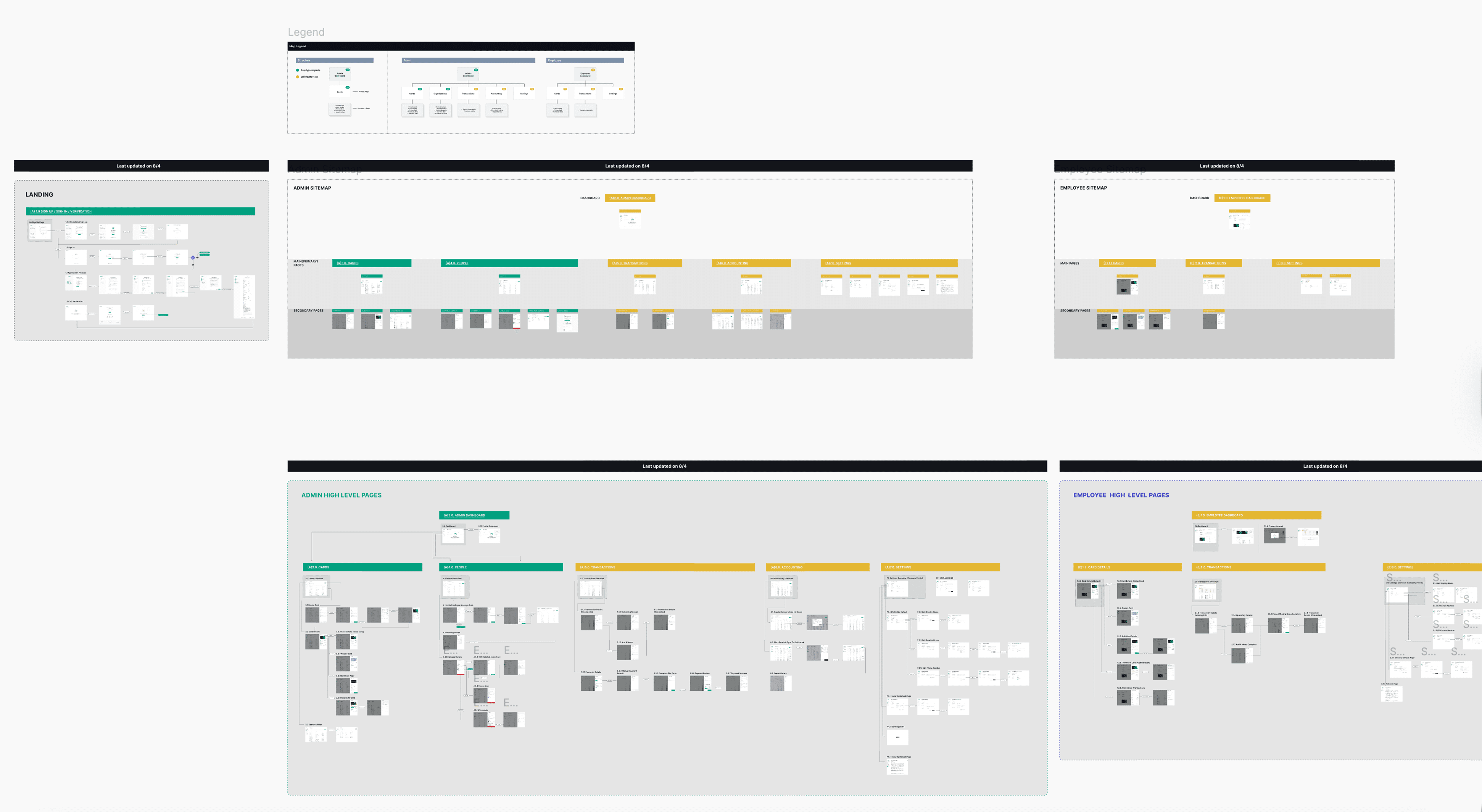
Onboarding Flow
With the introduction of these completely new platforms, our goal was to ensure users could not only understand but also grow within this new environment. I collaborated with Finfare developer teams to build an onboarding tutorial that highlights every key feature page and interaction. This process allows users to pause and come back whenever they need to jump back in, ensuring mastery at their own pace.
Managing Card Statuses
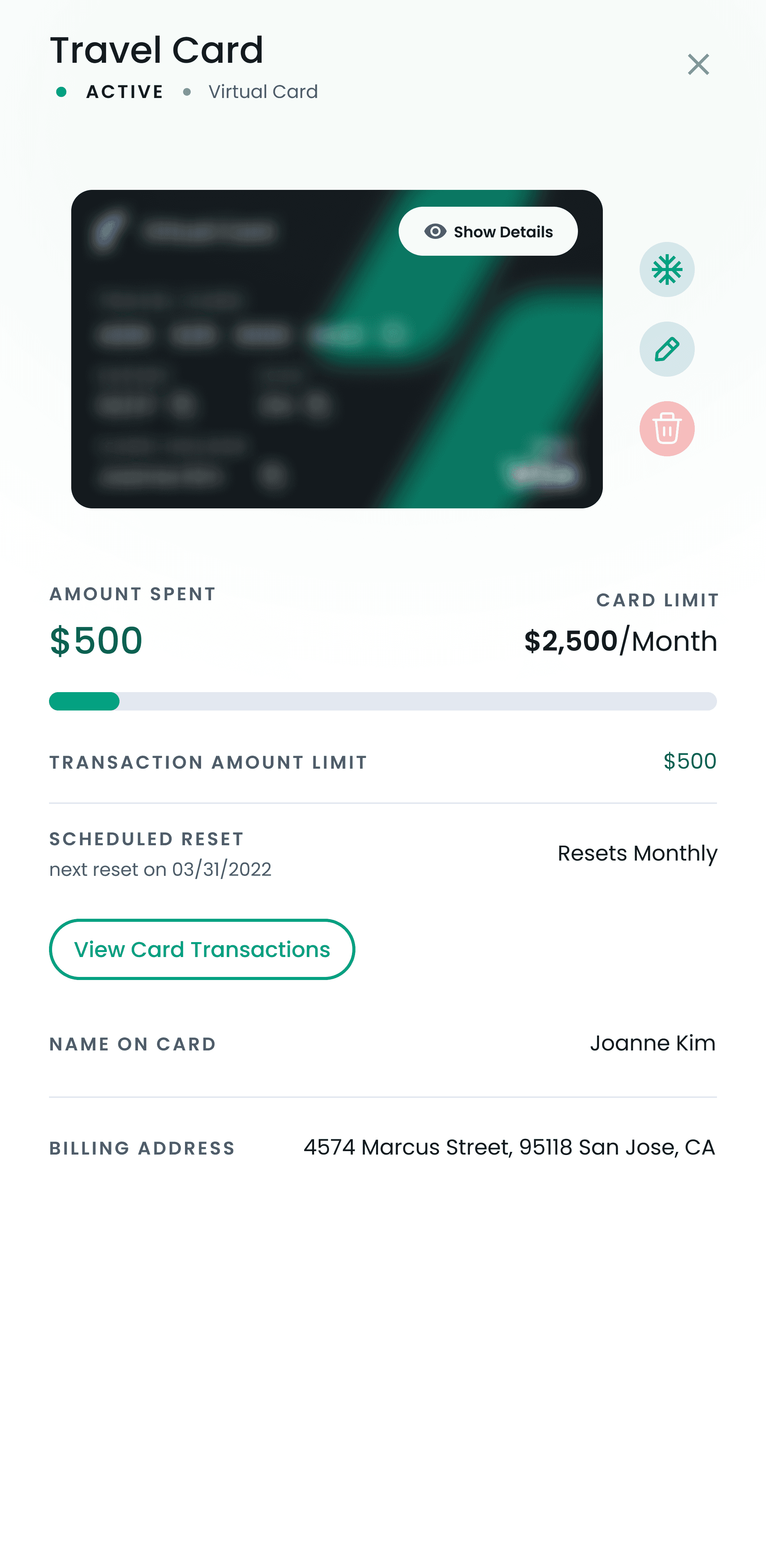
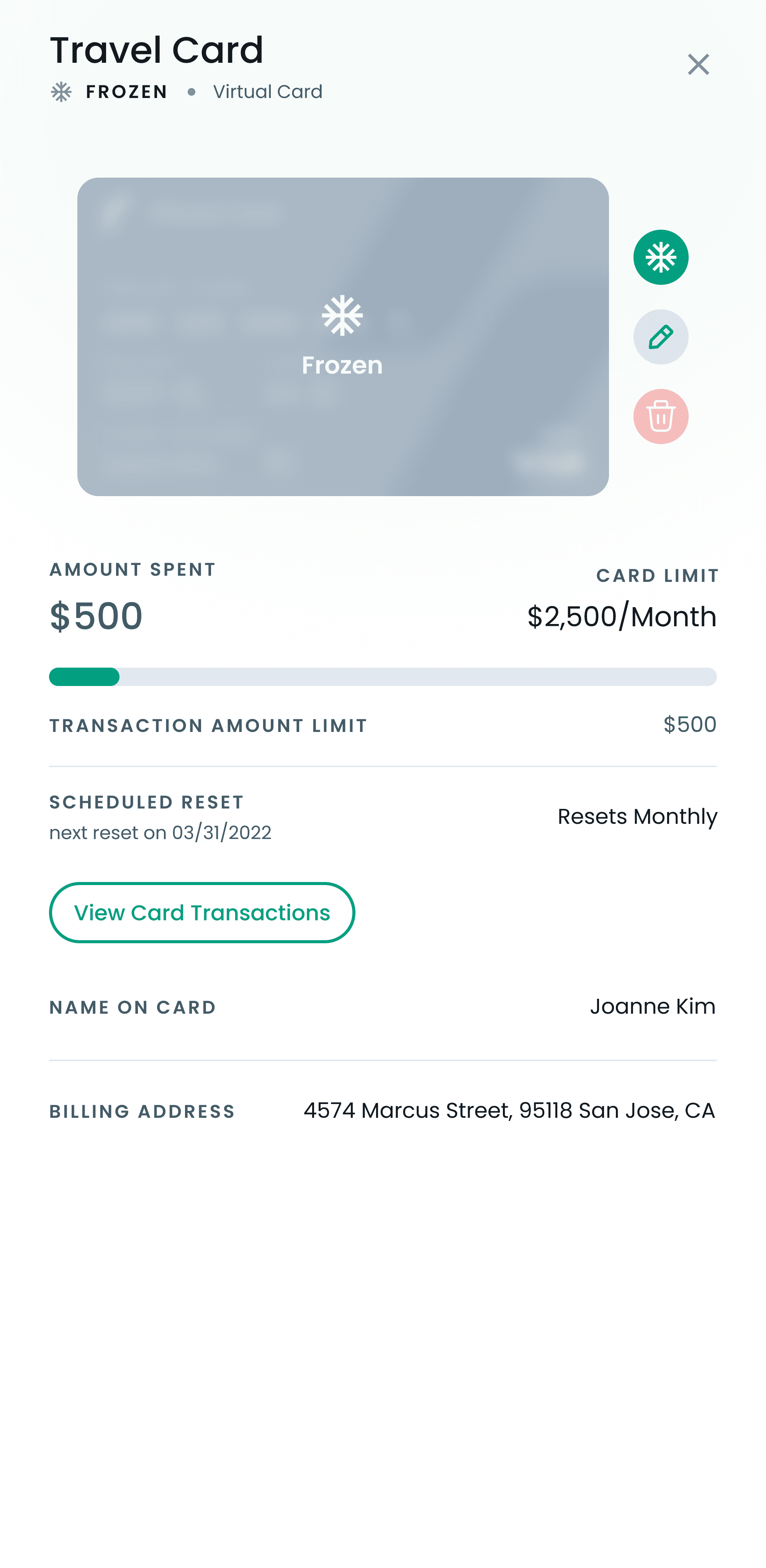
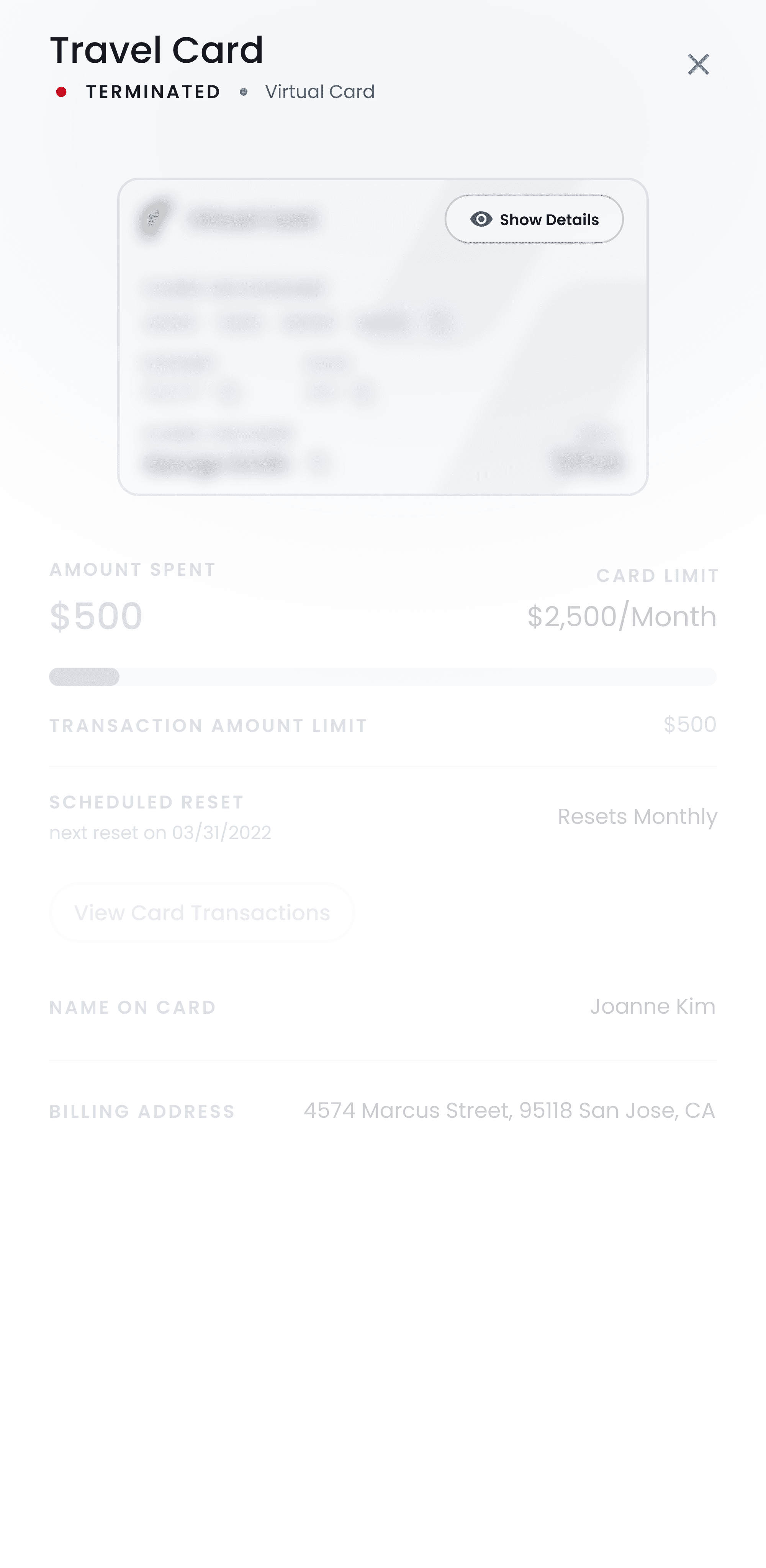
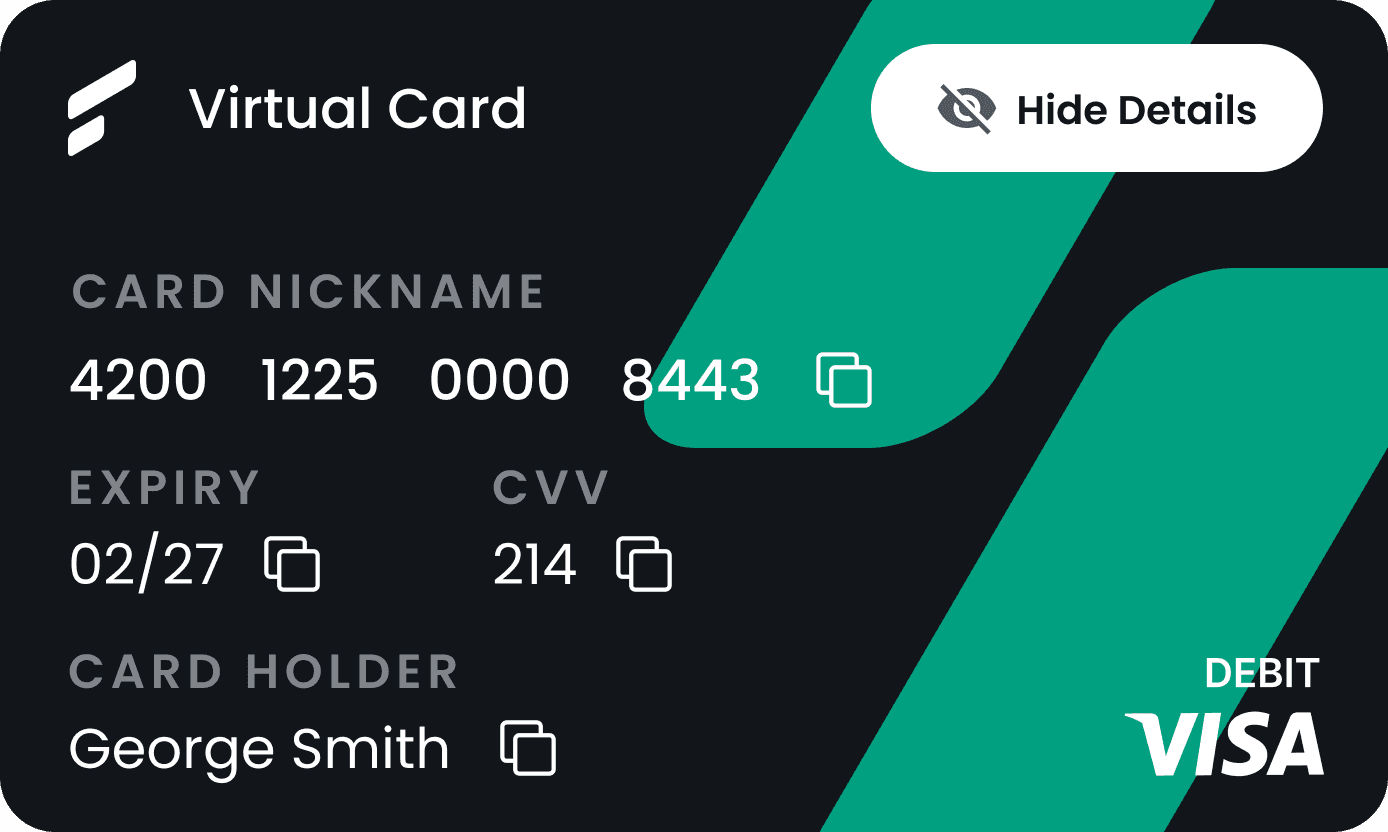
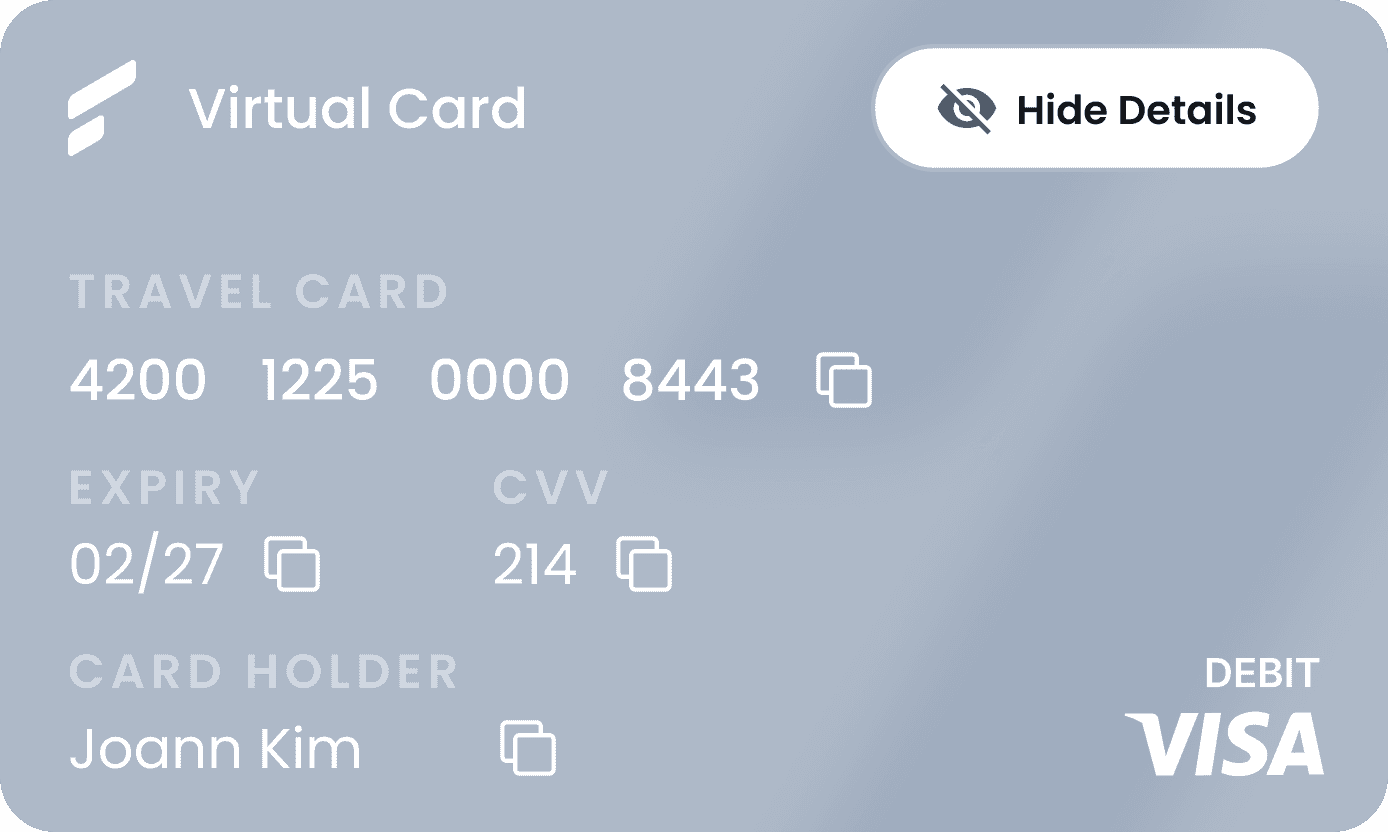
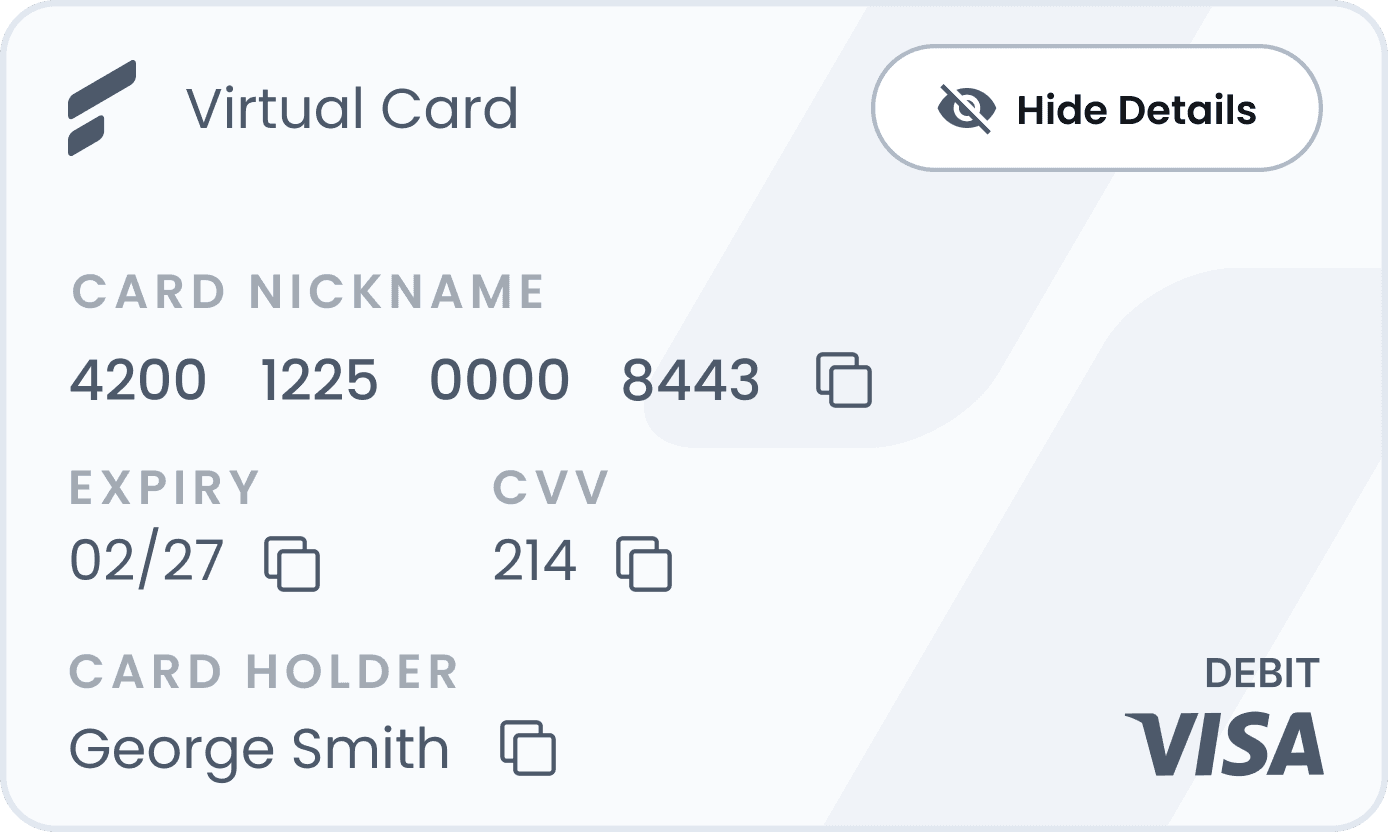
By designing with clear visual distinctions for each card status across the dashboard and details panel, we allow users to instantly view and manage their card’s state (Active, Frozen, or Terminated) seamlessly.
All Cards Screen — one place to view all company expenses
The All Cards dashboard brings every card into one view. The manager can see all cardholders, recent activity, and what’s left on the limit at a glance. Filters and search make it easy to find a person or team. Subtle alerts flag low balances or unusual activity. When something needs action, you can open details, adjust a limit, or freeze a card without leaving the page.
The result: Fewer surprises at month-end and less time digging through spreadsheets allow managers to get a clear picture in seconds and act before small issues become bigger problems.
Result
After multiple rounds of iteration, we conducted a Maze usability test with 42 participants to validate the updated onboarding and dashboard. The results confirmed clearer user paths and reduced confusion, while identifying targeted refinements for the next release. This project underscored the value of early validation and scalable foundations: simplify first, test often, and build a system that can grow with the product.
The outcome was faster onboarding, reduced manual work, and stronger user trust. If I were to revisit this today, I would integrate deeper analytics to quantify these improvements and guide future iterations with even greater precision.





Finfare
A business finance and expense management tool
Problems & Challenges
In the early stages, our main challenge was finding unique features that would distinguish our product from other financial management solutions, e.g., Ramp, Brex, and Mercury.
Working with the UX team, we analyzed competitor design solutions and UI patterns. This revealed major market issues: cluttered visuals, confusing onboarding, repetitive expense workflows, and limited mobile access.
These insights shaped our priorities: clarity, speed, and mobility and became the foundation for the redesign of Finfare’s visual identity and dashboard experience.
Onboarding Flow
With the introduction of these completely new platforms, our goal was to ensure users could not only understand but also grow within this new environment. I collaborated with Finfare developer teams to build an onboarding tutorial that highlights every key feature page and interaction. This process allows users to pause and come back whenever they need to jump back in, ensuring mastery at their own pace.
All Cards Screen
The All Cards dashboard brings every card into one view. The manager can see all cardholders, recent activity, and what’s left on the limit at a glance. Filters and search make it easy to find a person or team. Subtle alerts flag low balances or unusual activity. When something needs action, you can open details, adjust a limit, or freeze a card without leaving the page.
The result: Fewer surprises at month-end and less time digging through spreadsheets allow managers to get a clear picture in seconds and act before small issues become bigger problems.
Managing Card Statuses
By designing with clear visual distinctions for each card status across the dashboard and details panel, we allow users to instantly view and manage their card’s state (Active, Frozen, or Terminated) seamlessly.
Result
After multiple rounds of iteration, we conducted a Maze usability test with 42 participants to validate the updated onboarding and dashboard. The results confirmed clearer user paths and reduced confusion, while identifying targeted refinements for the next release. This project underscored the value of early validation and scalable foundations: simplify first, test often, and build a system that can grow with the product.
The outcome was faster onboarding, reduced manual work, and stronger user trust. If I were to revisit this today, I would integrate deeper analytics to quantify these improvements and guide future iterations with even greater precision.

Overview
Finfare is a business expense management platform that simplifies spending through an intuitive dashboard. I led the design of the core product, enhancing the UX/UI to ensure a seamless, responsive experience across web and mobile.
Joining as Product Manager and Lead Designer via 500 Designs, I navigated a tight timeline to deliver an MVP that was polished for investors yet stable for beta users. As PM, I led daily stakeholder syncs, using these sessions to strategically steer the UX; while the client was firm on visual direction, I successfully advocated for usability improvements without compromising the relationship.
Over 10 months of two-week sprints, we shipped a refined onboarding flow, a simplified dashboard, and a foundational design system—successfully supporting Finfare’s first fundraising milestone.