UiFlow
Studio Refactor
Overview
This project is a refactor of the Uiflow Studio no-code editor. This effort was intended to further empower engineers and product managers by enabling the ability to connect live data from any data source and elevate the logic tool for creating and managing workflows.
Logic vs. Layout
As with every project, we spent an hour each week with UiFlow's beta customers and direct product partners to gather feedback, and a theme started to materialize.
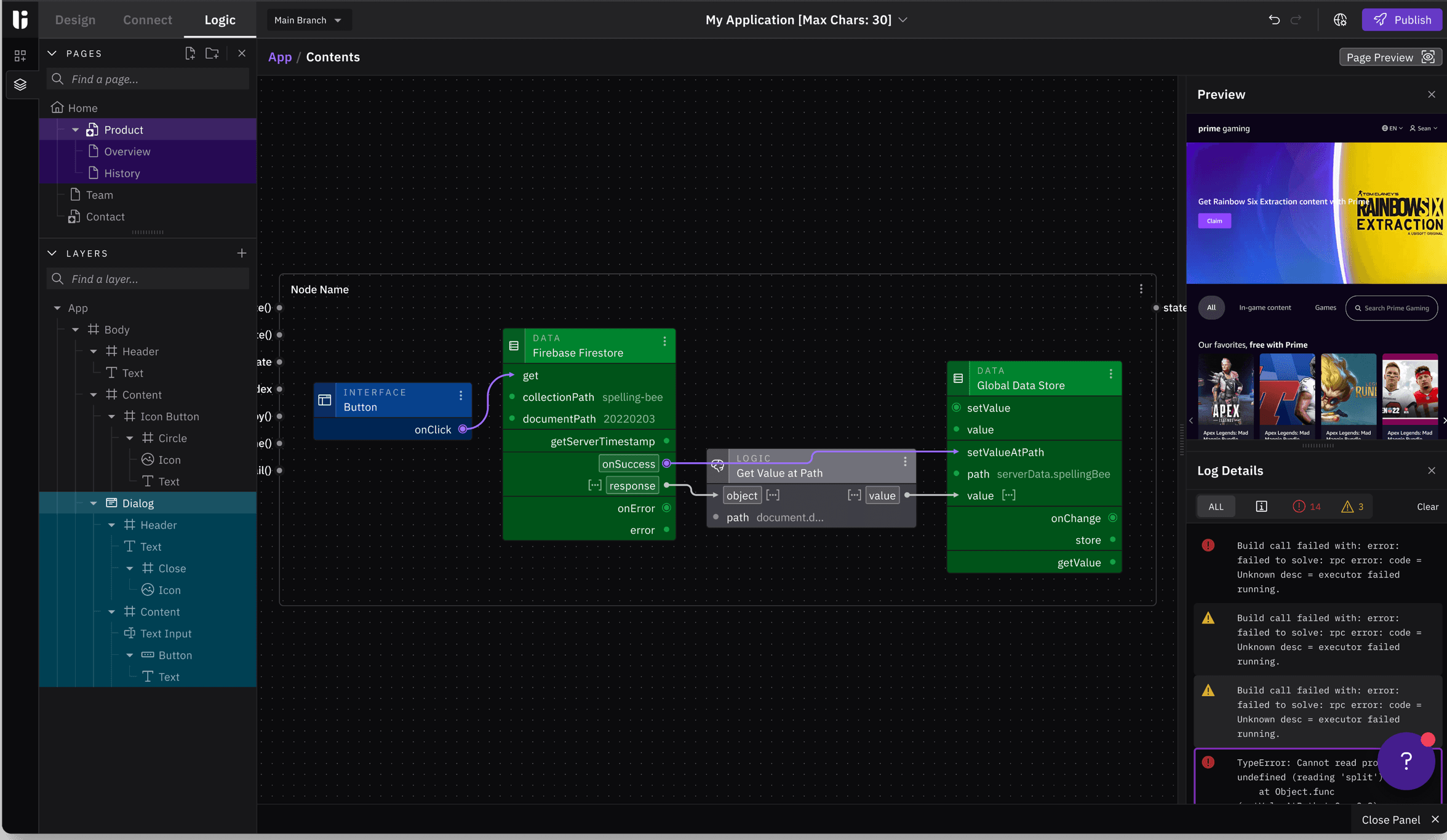
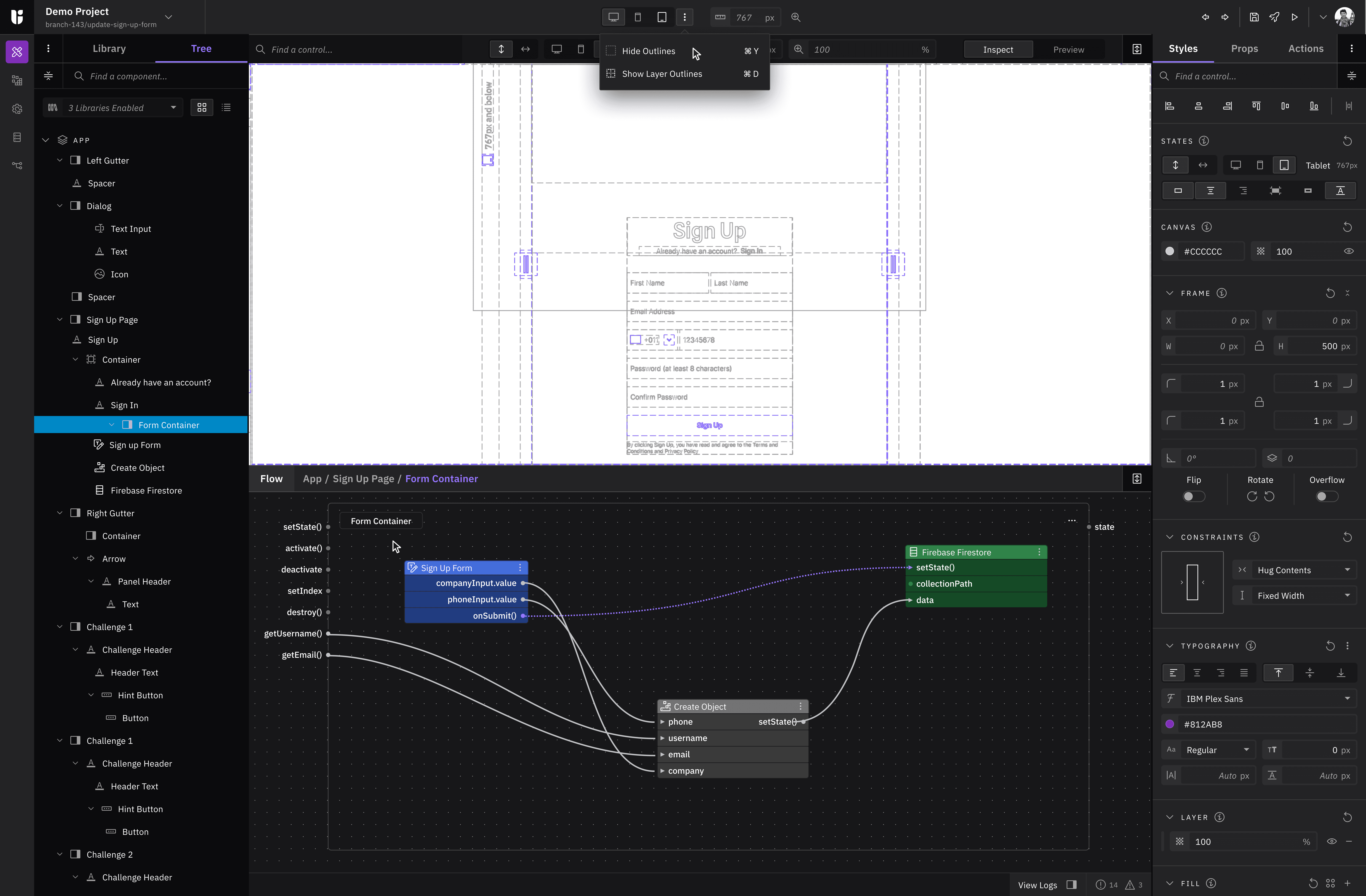
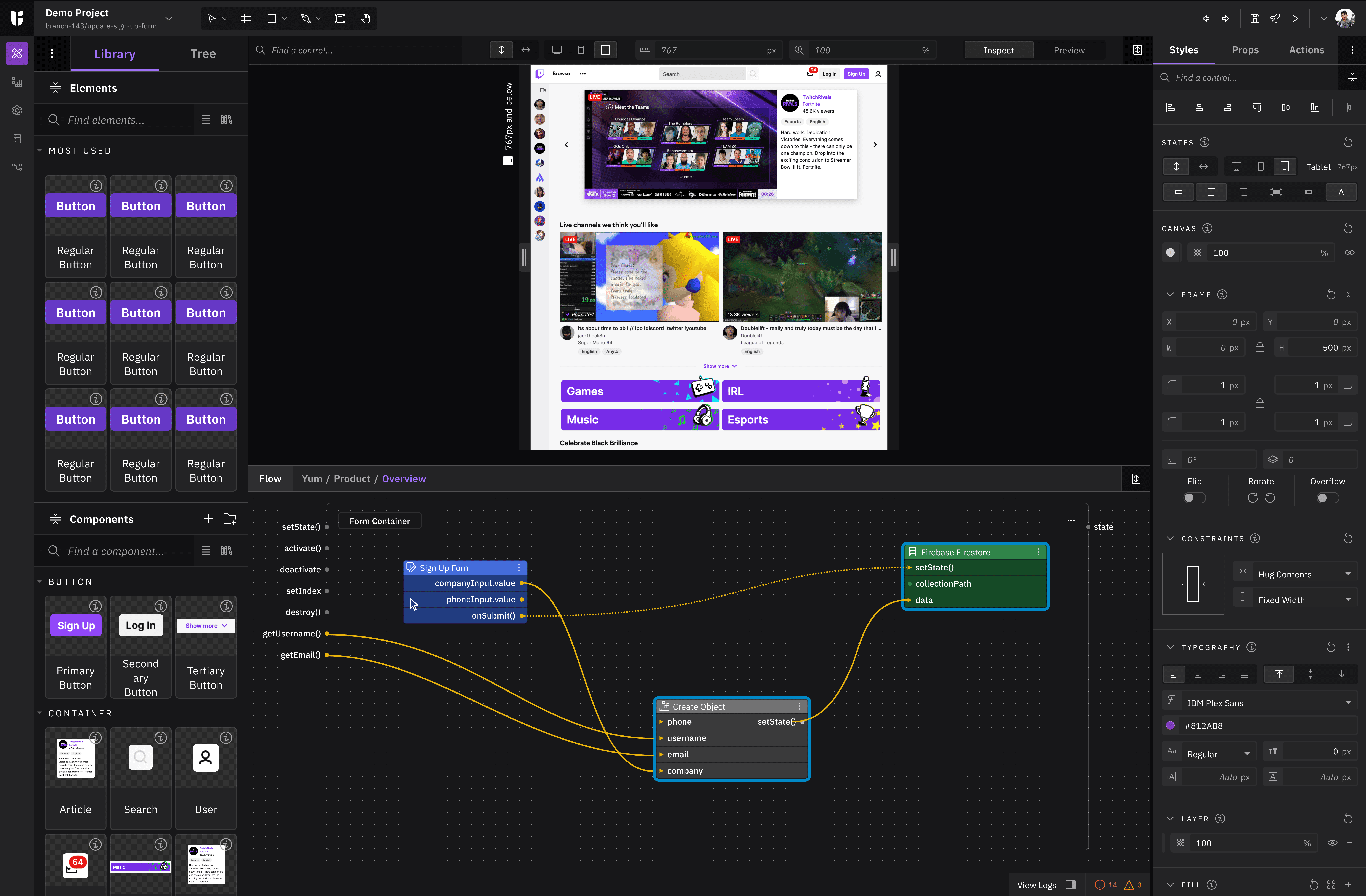
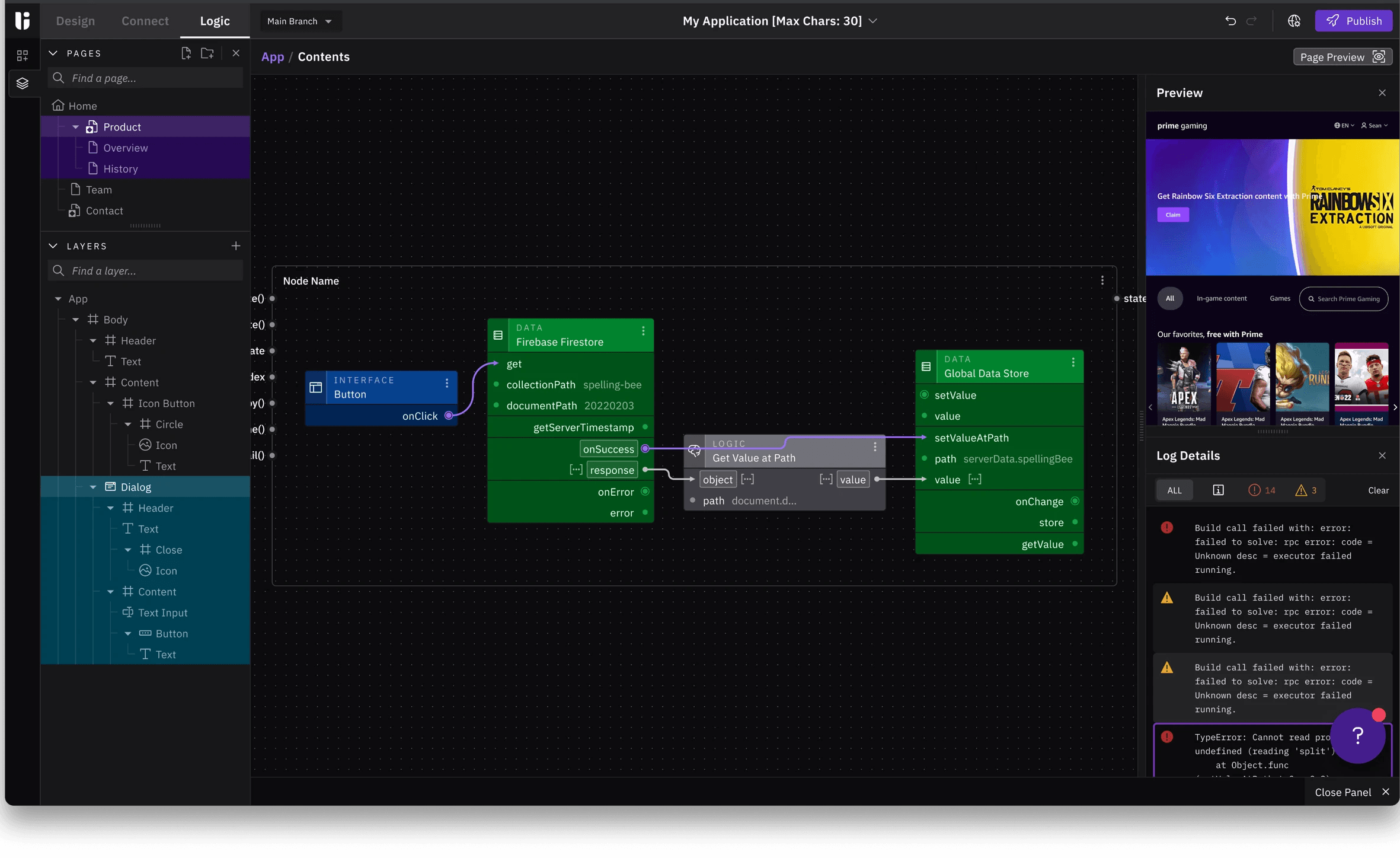
Many users were frustrated by having to keep the visual editor open whenever they wanted to work on logic workflows. They consistently expressed a preference for a dedicated space to build flows, with a simple UI preview rather than sharing the same crowded workspace.
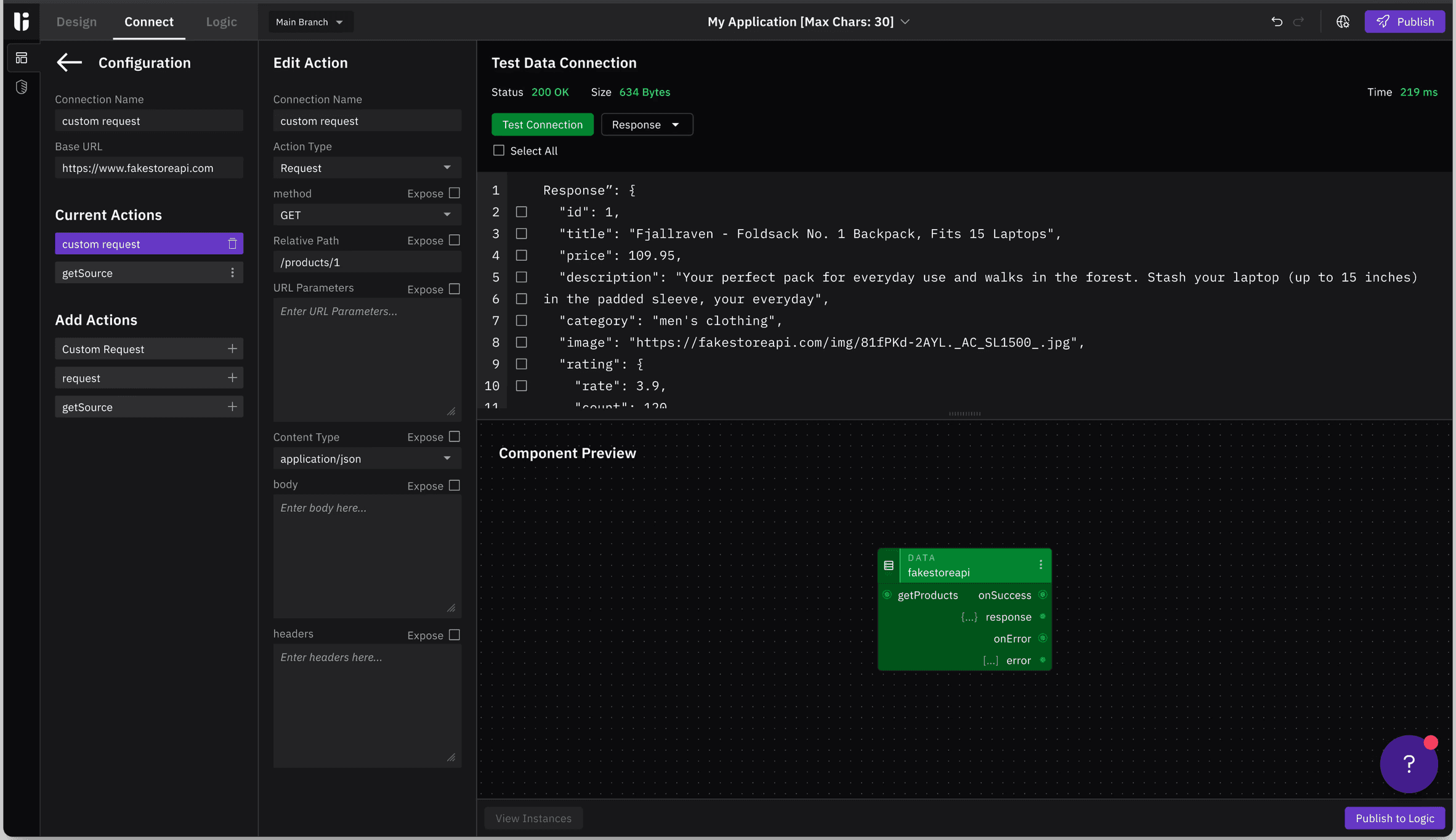
On top of that, creating data connections ended up with having to pivot back and forth between the data section and the logic area. We enacted saved locations and states between them both, but that was not enough.
Problems & Challenges
Users had trouble locating the logic and data tools, and even when they did, the workspace for creating data connections and logical workflows felt cramped and limiting.
At the same time, we had finalized the feature roadmap for the upcoming quarters, which included several visual editor improvements. Because many of these features would require changes to placement, visibility, and layout, it made sense to address all of these usability issues together.






Result
When the final design was presented to beta users and the client (UiFlow), the validation was clear. Project completion times were reduced significantly by 32%.
Beta users and the UiFlow team were satisfied with the new updates, as the improvements directly reduced the time to completion for their active projects.
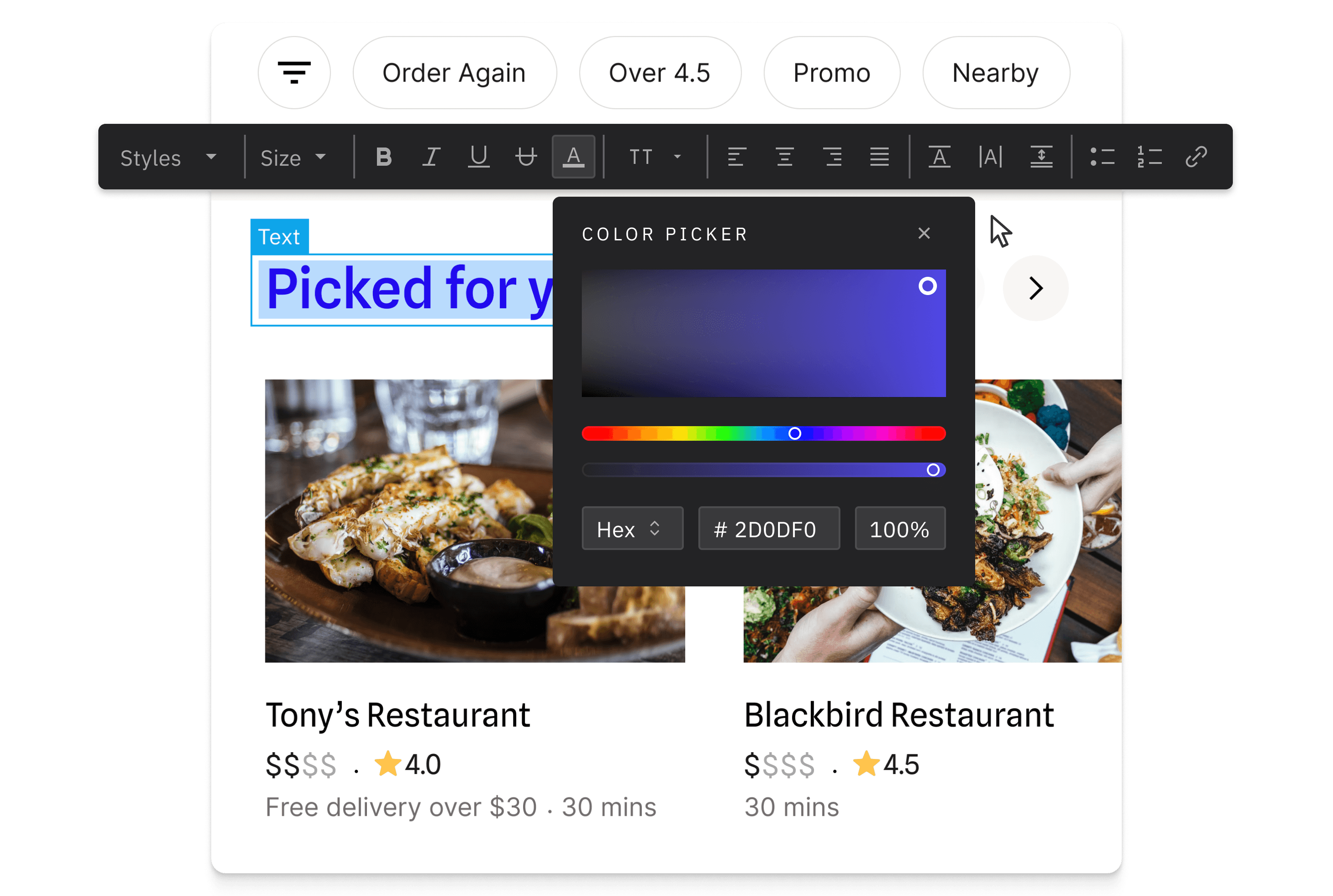
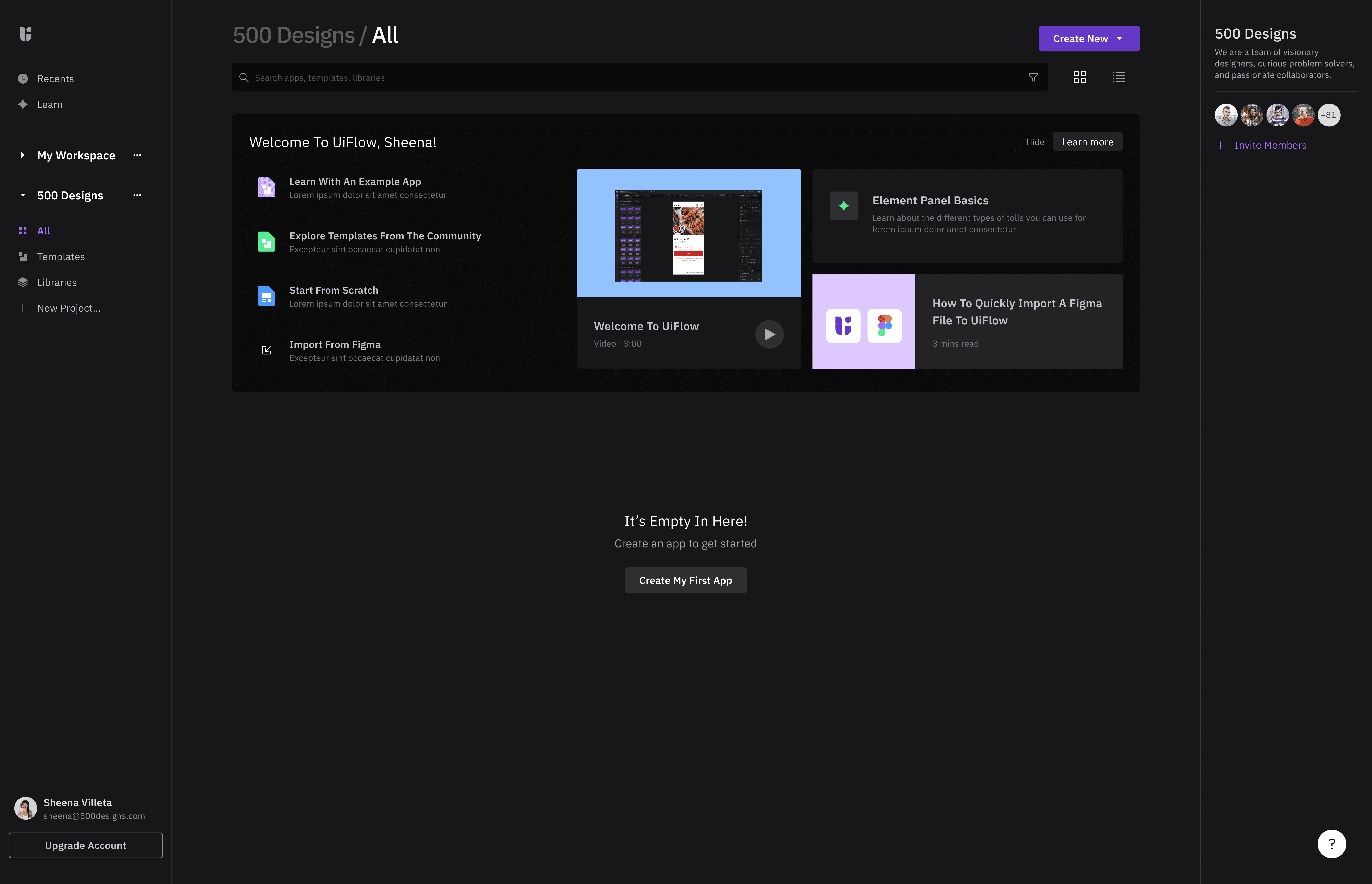
Below are some of the UI templates and elements I designed during this project.
UiFlow
Studio Refactor
Problems & Challenges
Users had trouble locating the logic and data tools, and even when they did, the workspace for creating data connections and logical workflows felt cramped and limiting.
At the same time, we had finalized the feature roadmap for the upcoming quarters, which included several visual editor improvements. Because many of these features would require changes to placement, visibility, and layout, it made sense to address all of these usability issues together.
Logic vs. Layout
As with every project, we spent an hour each week with UiFlow's beta customers and direct product partners to gather feedback, and a theme started to materialize.
Many users were frustrated by having to keep the visual editor open whenever they wanted to work on logic workflows. They consistently expressed a preference for a dedicated space to build flows, with a simple UI preview rather than sharing the same crowded workspace.
On top of that, creating data connections ended up with having to pivot back and forth between the data section and the logic area. We enacted saved locations and states between them both, but that was not enough.
Result
When the final design was presented to beta users and the client (UiFlow), the validation was clear. Project completion times were reduced significantly by 32%.
Beta users and the UiFlow team were satisfied with the new updates, as the improvements directly reduced the time to completion for their active projects.
Below are some of the UI templates and elements I designed during this project.
This project is a refactor of the Uiflow Studio no-code editor. This effort was intended to further empower engineers and product managers by enabling the ability to connect live data from any data source and elevate the logic tool for creating and managing workflows.